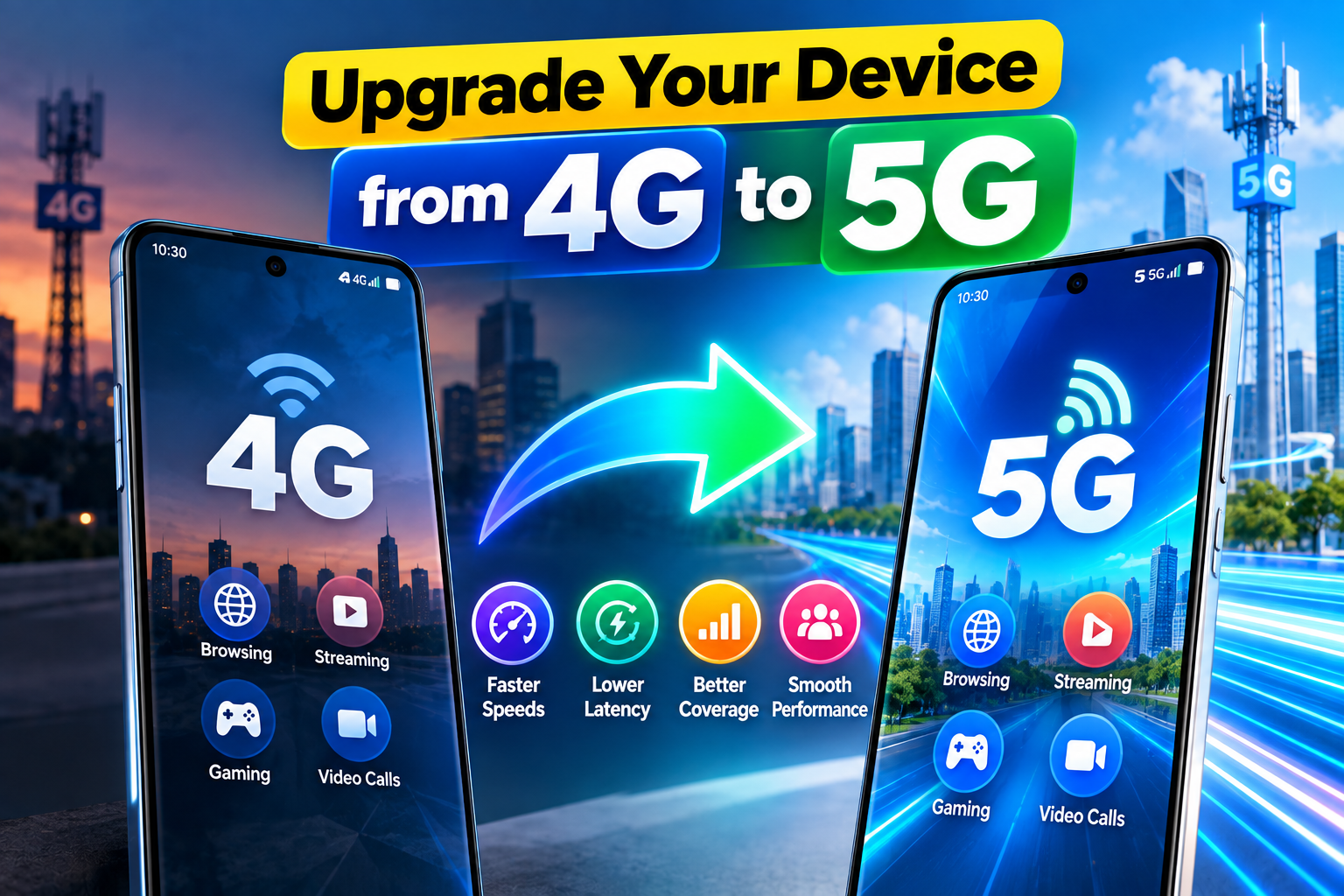
Mobile connectivity has evolved significantly with the introduction of 5G technology. As mobile networks continue to expand, many smartphone users want to know whether they can upgrade their existing 4G devices to access faster internet speeds and improved connectivity.
However, upgrading from 4G to 5G is not as simple as installing an application or changing a hidden setting. Your smartphone must support the necessary hardware, your mobile carrier must offer compatible 5G service, and your device must be configured correctly.
In this guide, we explain how to upgrade your device from 4G to 5G, check your phone’s compatibility, enable 5G on supported smartphones, and troubleshoot common network problems.
4G vs. 5G: Understanding the Difference
4G LTE has provided reliable mobile internet for years. It supports everyday activities such as browsing websites, streaming videos, using social media, playing online games, and making video calls.
5G is the next generation of mobile network technology, designed to improve network performance and support increasingly demanding digital services.
Some potential advantages of 5G include:
- Higher internet speeds under suitable conditions
- Lower network latency
- Greater network capacity
- Improved performance in certain crowded locations
- Better support for connected devices and advanced applications
However, actual performance depends on network coverage, signal strength, frequency bands, carrier infrastructure, and the smartphone being used. A strong 4G connection can sometimes outperform a weak or congested 5G connection.
Can You Convert a 4G Phone into a 5G Phone?
This is the most important question for anyone considering a network upgrade.
A smartphone that supports only 4G cannot be converted into a genuine 5G phone through an application or software update.
5G connectivity requires compatible physical components, including:
- A 5G-capable modem
- Compatible chipset and radio hardware
- Appropriate antennas and supporting components
- Support for the relevant 5G frequency bands
A software update may enable or improve 5G functionality on a device that already contains the required hardware. However, software cannot add a missing 5G modem or antenna system.
If your smartphone is limited to 4G hardware, purchasing a compatible 5G smartphone is the practical way to access 5G networks.
What If Your Smartphone Already Supports 5G?
If you own a 5G-compatible smartphone but the status bar continues to display 4G LTE, you may not need a new device.
The issue could be related to network settings, carrier coverage, your mobile package, or device compatibility.
Start by checking your exact smartphone model on the manufacturer’s official website. Some phones are sold in different regional versions, and not every version supports the same 5G frequency bands.
Once you confirm compatibility, you can check your network settings and mobile service.
Requirements for Upgrading from 4G to 5G
To access 5G successfully, several requirements must be met.
1. A 5G-Compatible Smartphone
Your smartphone must contain the hardware needed to connect to 5G networks. Check the official specifications for your exact model rather than relying solely on the phone’s marketing name.
2. Available 5G Network Coverage
Your mobile carrier must provide 5G service in your area. If 5G coverage is unavailable, a compatible smartphone will generally connect to 4G LTE or another supported network.
3. A Compatible Mobile Package
Some carriers require a particular plan or package to access 5G. Contact your operator or check its official website to confirm the current requirements.
4. A Compatible SIM Card
Whether you need a new SIM depends on your mobile operator. Some existing SIM cards support 5G, while others may need replacement or reconfiguration.
5. Updated Software
Installing available operating-system and carrier updates can help ensure that your device has the latest supported network configurations.
How to Enable 5G on an Android Smartphone
If your phone already supports 5G, you can usually select the preferred network mode in its settings.
Follow these general steps:
- Open Settings on your smartphone.
- Select Mobile Network, Connections, or a similar option.
- Choose the SIM card you use for mobile data.
- Open Preferred Network Type or Network Mode.
- Select an option such as 5G/4G/3G/2G Auto, if available.
Your phone should then connect to 5G automatically when a compatible network is available.
Menu names vary between manufacturers and Android versions. Some carriers or devices may also restrict the available network options.
Important: Selecting a 5G network mode does not create 5G connectivity on a 4G-only phone. The device must already have compatible hardware.
Why Does My 5G Phone Still Show 4G?
Even a fully compatible 5G smartphone will not display the 5G icon everywhere. Several factors can cause it to remain connected to 4G LTE.
Common reasons include:
- Limited coverage: Your current location may not have an available 5G signal.
- Mobile package restrictions: Your plan may not include 5G access.
- SIM compatibility: Your SIM may require an update or replacement.
- Network settings: Your preferred network mode may be set to 4G.
- Frequency-band incompatibility: Your device may not support the specific 5G bands used by your carrier.
- Temporary network conditions: Your phone may switch to 4G because of signal strength, congestion, or network management.
To troubleshoot the issue, confirm your phone’s compatibility, check your carrier’s 5G coverage, review your network settings, and restart the device after making any necessary changes.
If the problem continues, contact your mobile operator for assistance.
Beware of Fake 4G-to-5G Applications
Various applications and websites claim to convert ordinary 4G smartphones into 5G devices. Such claims should be treated with caution.
An application cannot add the physical modem, antennas, and radio components required for 5G connectivity.
Some applications may simply provide shortcuts to existing network settings, display connection information, or help users perform basic network tests. These functions do not turn a 4G-only device into a 5G smartphone.
Avoid applications that promise impossible hardware upgrades, especially if they request unnecessary permissions or ask for sensitive information.
Benefits of Upgrading to 5G
When your smartphone, mobile package, and location support 5G, the technology can offer several advantages.
Faster Internet Speeds
Under suitable conditions, 5G can deliver significantly higher data speeds than many 4G connections. This can make large downloads and other data-intensive activities faster.
Lower Latency
5G can reduce communication delays in supported network conditions. This can improve responsiveness in certain online games, video calls, and interactive applications.
Better Streaming Experience
Higher speeds and network capacity can make high-resolution video streaming more practical, provided that coverage and network performance are sufficient.
Greater Network Capacity
5G is designed to support increasing numbers of connected devices and demanding mobile applications. This can help improve connectivity in certain busy environments, although results depend on the local network.
Should You Buy a 5G Smartphone?
If your current phone supports only 4G and you want to use 5G, purchasing a compatible device is the most practical option.
Before buying, check the following specifications:
- 5G network compatibility
- Supported frequency bands in your region
- Processor performance
- Battery capacity
- Camera quality
- Display quality
- Storage capacity
- Charging speed
- Software update support
Do not rely only on a phone’s advertised 5G label. Confirm that the particular model supports the frequency bands and network requirements of your mobile operator.
If you mainly use your phone for calls, messaging, and basic browsing, 4G may already provide sufficient performance. Your decision should depend on your usage, budget, local coverage, and future needs.
Is 5G Always Better Than 4G?
Although 5G is designed to improve speed, latency, and network capacity, it does not guarantee better performance in every situation.
Your connection quality depends on several factors, including:
- Signal strength and coverage
- Distance from the mobile base station
- Network congestion
- Available frequency bands
- Carrier infrastructure
- Device compatibility
- Local environmental conditions
In areas with limited 5G coverage, a strong 4G LTE connection may provide a more consistent experience.
Therefore, check local coverage before spending money on a new smartphone solely for 5G access.
Final Thoughts
Upgrading from 4G to 5G begins with understanding your smartphone’s hardware capabilities. If your phone already supports 5G, you may only need compatible network settings, suitable coverage, and an eligible mobile plan.
However, if your device was designed as a 4G-only smartphone, no application or software setting can provide genuine 5G connectivity.
The best approach is to verify your phone’s official specifications, check your carrier’s current 5G requirements, and confirm coverage in your area before making a decision.
Frequently Asked Questions
Can I convert a 4G-only phone to 5G?
No. A 4G-only smartphone lacks the hardware required for 5G connectivity. A software update or mobile application cannot add the missing physical components.
Why is my 5G phone showing 4G?
Your phone may be outside 5G coverage, your mobile plan may not support 5G, or your network settings and device compatibility may be preventing a 5G connection.
Do I need a new SIM card for 5G?
Not always. SIM requirements depend on your mobile operator. Some existing SIM cards support 5G, while others may need replacement or reconfiguration.
Is 5G faster than 4G LTE?
5G can offer higher speeds and lower latency, but actual performance depends on network coverage, congestion, signal strength, and device compatibility.
Can an application enable 5G on a 4G phone?
No. An application cannot add the physical hardware required for 5G. It may provide network information or shortcuts to settings already supported by the phone.
How can I check whether my phone supports 5G?
Find your exact phone model in Settings or About Phone, then check its official specifications on the manufacturer’s website. Confirm that the model supports the 5G frequency bands used by your carrier.
Can I use 4G and 5G on the same smartphone?
Yes, if the smartphone supports 5G. Compatible devices can generally use 5G where available and fall back to 4G LTE when necessary.
Related resource: Explore the 4G to 5G Network Mode app listing on Google Play. Please note that a network-mode application cannot convert a 4G-only smartphone into a genuine 5G device.